
How to Approve Delivery Instruction (DI)
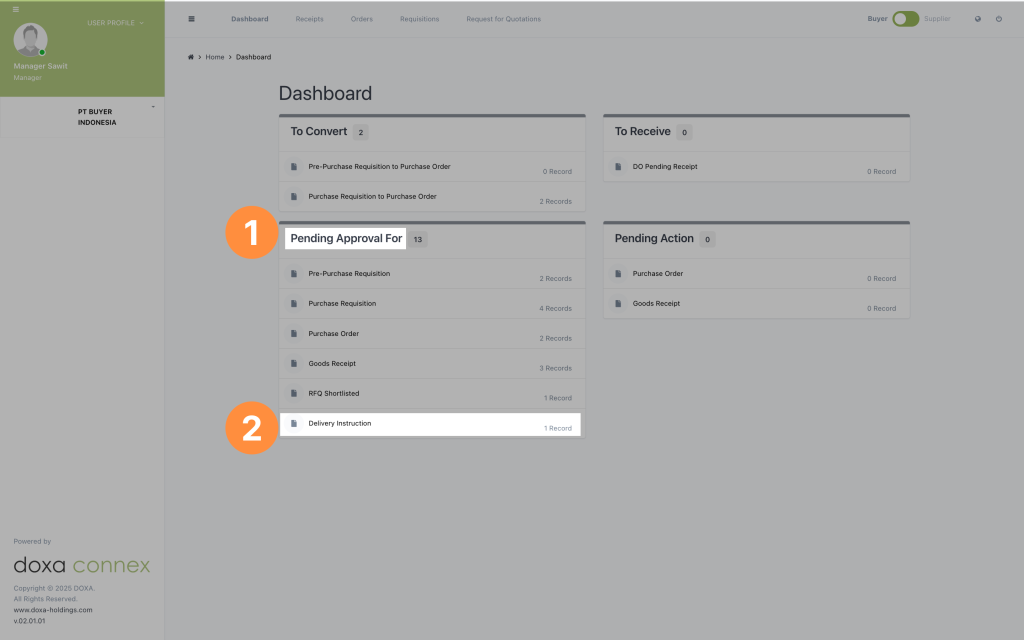
- Look for Pending Approval For section in the dashboard above.
- Select the Delivery Instruction, you can check the number of records needed to be approved.
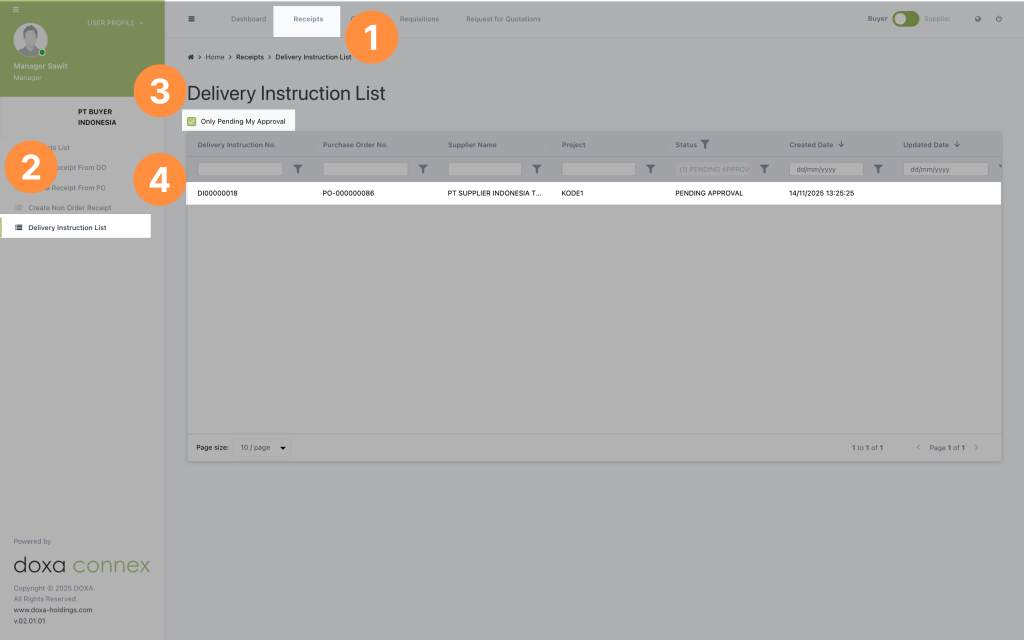
Another way to open the Delivery Instruction:
- Click Receipts on the top menu.
- Select Delivery Instruction List.
- Click Pending My Approval at the top.
- Open the record you want to approve.
Here’s a clearer and more polished version:
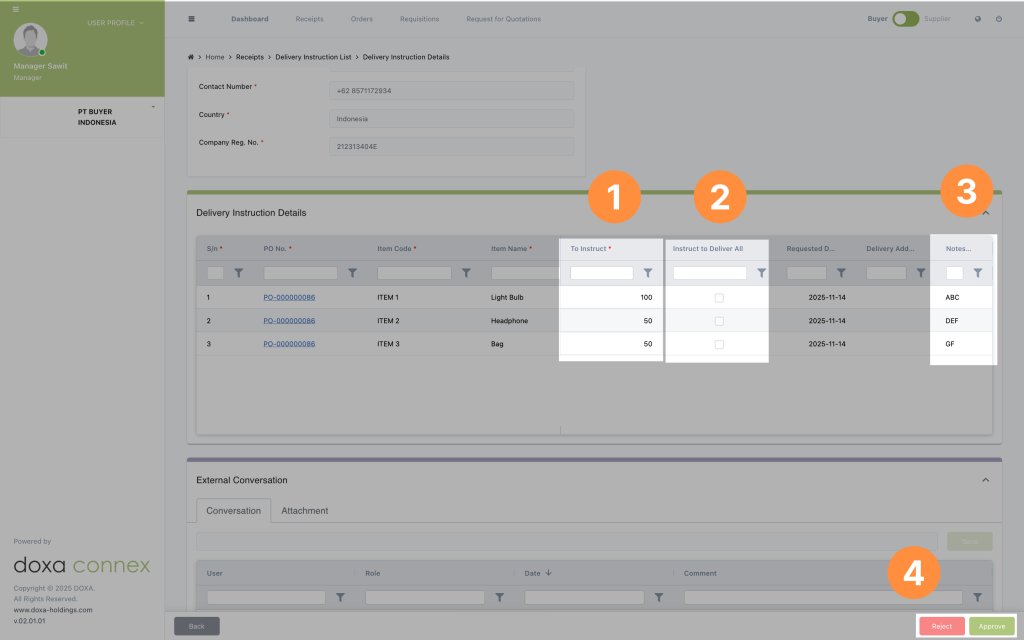
- Check the amount to be instructed.
- Check whether all items are to be delivered.
- Check any notes entered.
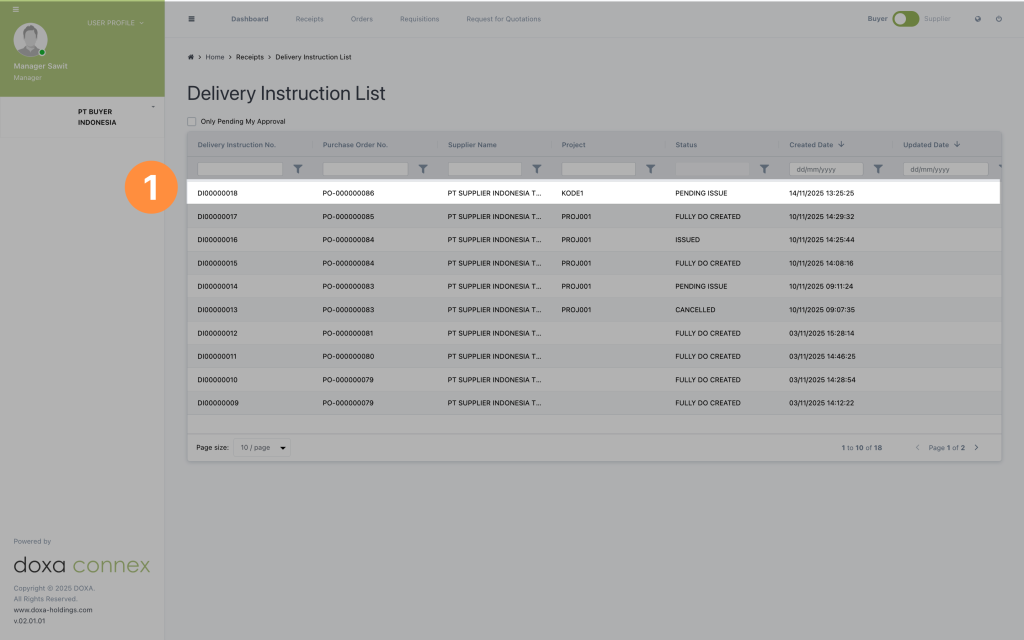
- Approved Delivery Instruction will be updated in the list